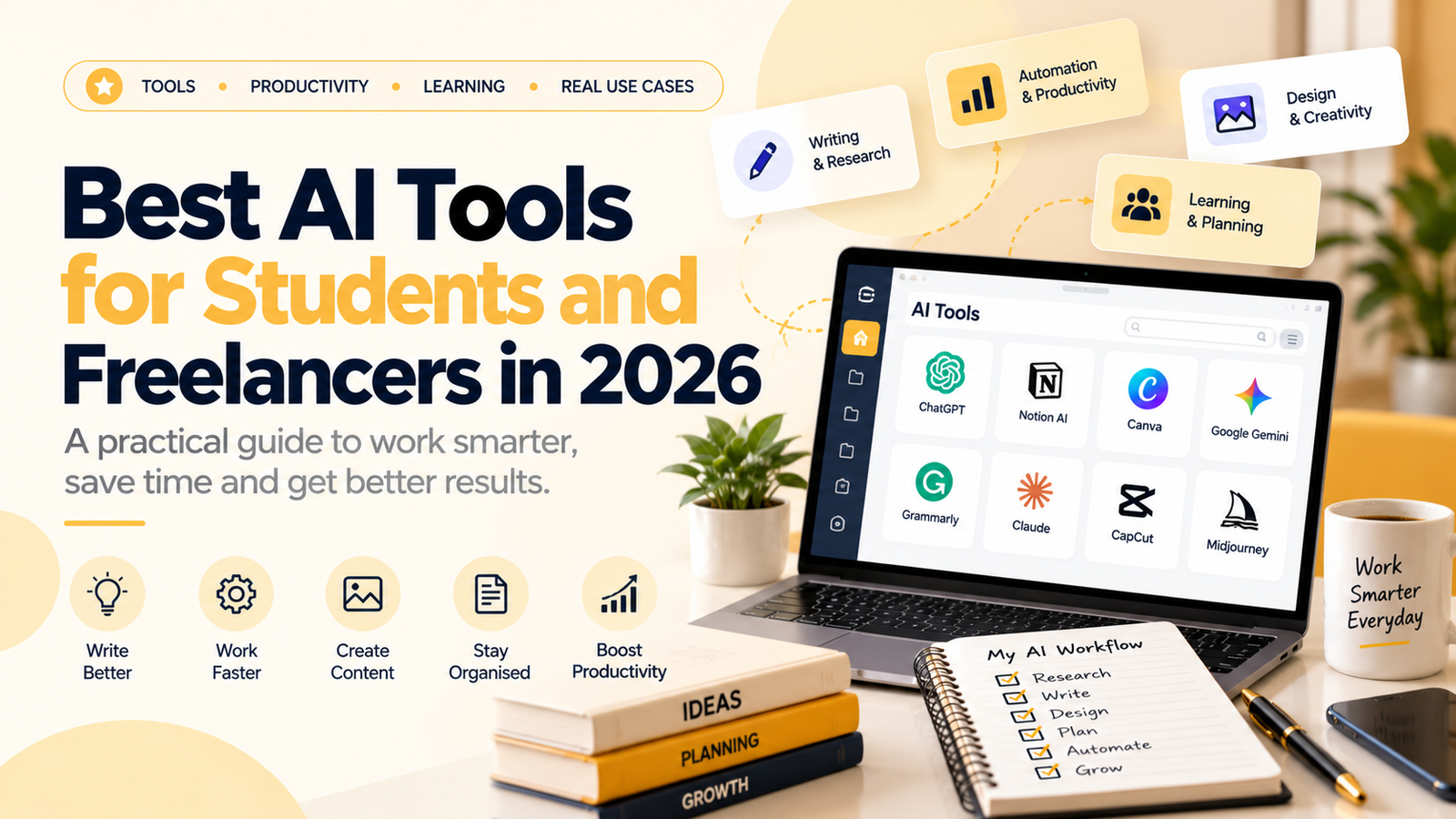
Artificial intelligence is changing how people study, create content, manage projects, design visuals, conduct research, and build digital businesses. In 2026, students and freelancers can use AI tools to simplify repetitive tasks, explore ideas, and organise their work more efficiently.
However, choosing the right tools can be confusing. New platforms appear regularly, many tools offer overlapping features, and not every subscription is necessary for every user.
The smarter approach is to identify the tasks you perform frequently and select tools that genuinely help you complete them.
In this guide, we will explore useful AI tools for students and freelancers, explain what each category can help you do, and show you how to build a practical AI workflow without becoming dependent on technology.
Why Are AI Tools Useful for Students and Freelancers?
Students and freelancers often handle multiple responsibilities with limited time and resources.
Students may need to understand difficult concepts, organise notes, prepare presentations, practise coding, or improve their writing. Freelancers may need to research clients, prepare proposals, create content, design visuals, manage projects, and communicate professionally.
AI tools can assist with many of these activities.
Some common uses include:
- Explaining complex topics in simpler language.
- Brainstorming ideas and creating outlines.
- Summarising information for review.
- Improving the clarity of written content.
- Creating design concepts and presentation drafts.
- Organising tasks and project notes.
- Assisting with coding and troubleshooting.
- Developing repeatable workflows for routine work.
The important distinction is that AI can support your work, but it does not automatically guarantee accuracy, originality, quality, or professional results.
You still need to review the output, apply your judgement, and take responsibility for the final work.
1. ChatGPT: A General-Purpose AI Assistant
<Entity value=”ChatGPT” category=”software” disambig=”AI assistant by OpenAI”/> can help with a wide range of learning, writing, planning, analysis, and creative tasks.
For students, it can explain difficult concepts, generate practice questions, organise revision plans, and help identify weaknesses in an explanation.
For freelancers, it can assist with brainstorming, content outlines, proposal drafts, client communication, research planning, and workflow documentation.
Practical ways to use ChatGPT
For students
- Ask for a difficult topic to be explained step by step.
- Generate practice questions based on your study material.
- Request feedback on the structure of an assignment.
- Turn your notes into revision questions.
- Ask for examples that help you understand a concept.
For freelancers
- Draft a first version of a project proposal.
- Create a content calendar outline.
- Brainstorm campaign ideas for a specific audience.
- Prepare questions to ask a new client.
- Develop a checklist for delivering a project.
Example prompt
“Act as a learning assistant. Explain the fundamentals of digital marketing to a beginner, using simple examples, a structured lesson plan, and five practice questions at the end.”
For better results, explain your objective, audience, context, preferred format, and any relevant constraints.
Remember that AI-generated answers can contain errors. Verify important facts, calculations, and claims before relying on them.
2. Google Gemini: Research, Ideas, and Productivity
<Entity value=”Google Gemini” category=”software” disambig=”Google’s AI assistant”/> is another general-purpose AI assistant that can help users explore topics, generate ideas, and work with information.
Depending on the available features and your account, it may support tasks involving text, images, documents, and connected Google services.
Students can use it to explore unfamiliar subjects, plan study sessions, and develop questions for further research.
Freelancers can use it to brainstorm marketing concepts, organise information, prepare content outlines, and explore possible solutions to business problems.
Practical examples
- Ask for a beginner-friendly explanation of a new topic.
- Create an outline for a presentation.
- Generate ideas for a small business’s content strategy.
- Compare different approaches to completing a project.
- Organise a list of tasks into a workable schedule.
Use AI-generated information as a starting point rather than automatically treating it as verified research. Check important statements against reliable sources.
3. Claude: Writing, Reasoning, and Document Work
<Entity value=”Claude” category=”software” disambig=”AI assistant by Anthropic”/> can be useful for tasks involving writing, reviewing lengthy material, analysing information, and improving the structure of ideas.
Its usefulness depends on the task, the available model, and the features included in your account.
How students can use it
- Review the structure of a report.
- Ask for explanations of difficult passages.
- Identify gaps in an argument.
- Generate questions for revision.
- Improve the organisation of notes.
How freelancers can use it
- Review a client proposal for clarity.
- Organise a long project brief into requirements.
- Improve the structure of a draft article.
- Compare alternative versions of a message.
- Develop a checklist from a lengthy set of instructions.
As with any AI assistant, review the final output carefully and protect confidential client information.
4. Perplexity: Research and Source Discovery
<Entity value=”Perplexity” category=”software” disambig=”AI-powered answer and research platform”/> can help users explore questions and discover sources related to a topic.
It can be useful when you need an initial overview of an unfamiliar subject or want to identify sources for further reading.
For example, a freelancer researching a market might use it to explore industry terminology, identify relevant reports, or generate questions for additional investigation.
A student might use it to discover background reading for a project and identify sources worth examining in more detail.
A responsible research workflow
- Define the question you need to answer.
- Use the research tool to identify relevant information and possible sources.
- Open the original sources.
- Verify important statements, dates, statistics, and quotations.
- Record the sources you actually used.
- Write your conclusions in your own understanding and words.
Do not assume that a citation automatically proves a claim. The linked source must genuinely support the statement.
For academic work, follow your institution’s citation rules and requirements for AI use.
5. NotebookLM: Learning From Your Own Study Materials
<Entity value=”NotebookLM” category=”software” disambig=”Google’s source-grounded research and learning assistant”/> can help users work with supplied source material, such as documents, notes, and other supported references.
This can be particularly useful when you want to study a specific collection of materials rather than ask a general question about a broad subject.
Examples for students
- Organise revision material from supplied notes.
- Generate questions to test your understanding.
- Identify connections between different documents.
- Create a study guide based on selected sources.
- Find sections that deserve closer review.
Examples for freelancers
- Organise a client’s project documentation.
- Review a collection of approved reference materials.
- Summarise important project requirements.
- Create a question list for a project meeting.
- Keep research organised around a specific assignment.
Always verify summaries against the original documents. A summary may omit important qualifications, and an AI system may misunderstand material.
Also, upload only information you are authorised to share with the service.
6. Canva: Design and Visual Content Creation
<Entity value=”Canva” category=”software” disambig=”Online graphic design and visual communication platform”/> helps users create visual materials such as presentations, social media posts, posters, documents, and marketing graphics.
Its available AI features can assist with parts of the design process, depending on the account and plan.
Canva can be useful for people who need to produce visual content without building every design element from scratch.
For students
- Create presentation drafts.
- Design educational infographics.
- Organise information into visual summaries.
- Prepare posters for projects.
- Improve the visual consistency of reports.
For freelancers
- Design social media creatives.
- Prepare marketing presentations.
- Create client proposal documents.
- Develop visual concepts for campaigns.
- Build a consistent style for recurring content.
A useful design workflow
Start by defining the audience, objective, message, and visual style. Use a template or AI-assisted design as a starting point, then check the layout, typography, colours, spacing, and factual accuracy.
AI-generated designs can contain spelling mistakes, awkward layouts, or inaccurate visual details. Review the final design before sharing or publishing it.
7. Grammarly: Writing and Communication Support
<Entity value=”Grammarly” category=”software” disambig=”AI-assisted writing and grammar tool”/> can help users review written communication, including grammar, spelling, clarity, and tone.
For students, this may help improve the readability of drafts. Freelancers can use writing assistance to review proposals, emails, descriptions, and other professional communication.
Useful applications
- Check spelling and grammar.
- Identify unclear sentences.
- Improve the flow of a draft.
- Adjust the tone for a professional audience.
- Review emails before sending them.
Writing assistance should not replace your own understanding or judgement.
For academic work, follow your institution’s rules regarding editing and AI assistance. For client work, maintain the intended meaning and never introduce claims that the client has not approved.
8. Notion AI: Notes, Planning, and Project Organisation
<Entity value=”Notion” category=”software” disambig=”Workspace for notes, documents, databases, and project management”/> provides tools for organising information, documenting workflows, and managing projects, with AI capabilities available according to the product and plan.
It can be useful when your notes, tasks, project information, and reference material are scattered across different places.
For students
- Organise subjects and revision tasks.
- Maintain project notes.
- Create study schedules.
- Track assignment deadlines.
- Build a personal knowledge library.
For freelancers
- Maintain a client-project tracker.
- Record project requirements.
- Organise content calendars.
- Document repeatable workflows.
- Track tasks and deadlines.
The main benefit of an organised workspace is not the number of features it offers. It is whether the system makes your work easier to manage consistently.
Start with a simple structure and add complexity only when you need it.
9. CapCut: Video Editing and Short-Form Content
<Entity value=”CapCut” category=”software” disambig=”Video editing application with AI-assisted features”/> can help creators edit videos for social media, educational content, and other digital projects.
Depending on the version, region, and plan, available features may include tools that assist with captions, editing, effects, and other production tasks.
How students can use it
- Edit short educational videos.
- Create presentation-based videos.
- Prepare project demonstrations.
- Improve the structure of recorded explanations.
How freelancers can use it
- Edit short-form client content.
- Prepare video drafts for review.
- Add captions and visual elements.
- Repurpose longer recordings into shorter clips.
- Build a consistent editing workflow.
Do not rely on automated captions without reviewing them. Names, technical terms, accents, and background noise can lead to mistakes.
Also check the licensing and usage rights of music, footage, fonts, and other assets before publishing client content.
10. GitHub Copilot: Coding Assistance
<Entity value=”GitHub Copilot” category=”software” disambig=”AI coding assistant by GitHub”/> can assist developers with code suggestions, explanations, and other programming tasks.
It may be useful for students learning to code as well as freelancers working on software projects.
Examples of practical use
- Ask for an explanation of unfamiliar code.
- Generate a basic example to study.
- Explore possible approaches to a programming problem.
- Identify potential errors.
- Create tests for a function.
- Understand the structure of an existing codebase.
AI-generated code must be reviewed and tested. It can contain bugs, insecure patterns, incorrect assumptions, or code that does not fit the project.
For professional work, understand the code you deliver, follow the project’s security requirements, and respect licensing and confidentiality obligations.
11. Gamma: Presentations and Structured Documents
<Entity value=”Gamma” category=”software” disambig=”AI-assisted presentation and document creation platform”/> can help users develop presentations and structured visual documents from an outline or prompt.
Students may find it useful when preparing project presentations or organising a topic into a logical sequence.
Freelancers may use it to create a first draft of a proposal, client presentation, workshop outline, or business overview.
How to use it effectively
First, prepare a clear brief that identifies:
- The target audience.
- The purpose of the presentation.
- The key points to communicate.
- The desired length and level of detail.
- Any brand or formatting requirements.
Then review the generated slides, correct factual errors, refine the story, and ensure the design supports the message.
A presentation that looks polished is not necessarily accurate or persuasive. Your research, reasoning, and editing still matter.
12. How to Choose the Right AI Tools
You do not need every tool mentioned in this article.
A better approach is to select tools according to the work you actually perform.
| Your main task | Tools worth exploring |
|---|---|
| General learning and brainstorming | ChatGPT, Gemini, Claude |
| Research and source discovery | Perplexity, NotebookLM |
| Visual design and presentations | Canva, Gamma |
| Writing and proofreading | ChatGPT, Claude, Grammarly |
| Notes and project management | Notion |
| Video editing | CapCut |
| Programming | GitHub Copilot |
These are suggested starting points, not a ranking of every product. The best option depends on your workflow, the quality you need, available features, privacy requirements, and budget.
Before committing to a subscription, ask yourself:
- What specific problem do I want the tool to solve?
- Can I achieve the same result with a tool I already use?
- Is the free or lower-cost option sufficient?
- How will I measure whether it saves time or improves quality?
- What information will I share with the service?
Check current plans and limitations directly with each provider because features, usage limits, and prices can change.
13. A Practical AI Workflow for Students
Instead of using AI randomly, create a repeatable study process.
Step 1: Define the learning objective
Write down what you need to understand by the end of the session.
For example, you might want to understand the basic principles of search engine optimisation.
Step 2: Learn the concept
Use a suitable learning resource or AI assistant to explore the topic. Ask for explanations, examples, and clarification of unfamiliar terms.
Step 3: Check reliable sources
Compare important statements with textbooks, official documentation, course materials, or other credible references.
Step 4: Practise without assistance
Attempt practice questions or solve a problem independently. This helps you determine whether you actually understand the material.
Step 5: Review your mistakes
Use AI to discuss errors and explore why a particular answer or approach may be incorrect.
Step 6: Summarise in your own words
Write a short explanation of what you learned. If you cannot explain the concept independently, revisit the material.
This workflow uses AI as a learning partner rather than a replacement for learning.
14. A Practical AI Workflow for Freelancers
Freelancers can use a similar approach to organise projects and reduce repetitive work.
Step 1: Understand the client’s requirements
Read the brief carefully and identify the expected deliverables, audience, deadlines, and constraints.
Step 2: Use AI to organise the work
Ask an appropriate tool to turn the brief into a task list, project outline, research plan, or initial content structure.
Step 3: Complete the substantive work
Use your own skills and judgement to develop the actual deliverable. AI may assist, but the work must meet the client’s requirements.
Step 4: Review the output
Check accuracy, completeness, tone, design, functionality, and consistency with the original brief.
Step 5: Obtain feedback
Share the work with the client through the agreed process and make appropriate revisions.
Step 6: Document the workflow
Record useful templates, checklists, and lessons learned so future projects become easier to manage.
Before using AI with client information, review the relevant contract, confidentiality requirements, and the service’s data-handling terms.
15. Common Mistakes to Avoid When Using AI
Using too many tools
Switching between multiple platforms can create unnecessary complexity. Begin with a small toolkit and expand only when you identify a genuine need.
Trusting every answer
AI tools can generate incorrect information, fabricated references, and misleading summaries. Verify important claims before using them.
Copying output without editing
Generic content may fail to reflect your audience, objectives, or professional standards. Review and adapt the output before publishing or submitting it.
Sharing confidential information
Avoid uploading sensitive client data, private records, passwords, or proprietary information unless you are authorised to do so and have assessed the relevant privacy and security risks.
Ignoring academic integrity
Using AI to understand a topic is different from submitting generated work in violation of academic rules. Follow your institution’s requirements and disclose AI assistance where required.
Paying for unnecessary subscriptions
Do not assume that a paid tool is automatically better for your needs. Test available options and upgrade only when the additional capabilities provide meaningful value.
Depending on AI for every decision
AI can support your reasoning, but it cannot take responsibility for your education, professional judgement, or business decisions. Develop your own skills alongside your use of technology.
16. A 7-Day Plan to Build Your AI Toolkit
If you are new to AI tools, use this simple plan to get started.
Day 1: Identify your biggest time-consuming task
Choose one task you perform regularly, such as researching a topic, writing content, preparing presentations, or organising project work.
Day 2: Choose one suitable tool
Select a tool designed for that task. Read its basic documentation and understand its available features.
Day 3: Practise with a real example
Use a non-sensitive sample task and record the result. Note what worked well and what required correction.
Day 4: Improve your prompts
Add more context, specify the intended audience, define the expected output, and provide clear constraints.
Day 5: Verify the output
Check important claims, correct mistakes, and compare the final result with your requirements.
Day 6: Build a repeatable workflow
Write down the steps you followed and save a reusable checklist or prompt.
Day 7: Evaluate the result
Ask yourself whether the tool genuinely saved time, improved quality, or helped you learn something more effectively.
If the tool does not add meaningful value, try another approach rather than continuing to use it simply because it is popular.
Frequently Asked Questions
Which AI tool is best for beginners in 2026?
There is no single best tool for every beginner. General-purpose assistants such as ChatGPT, Gemini, and Claude can help with a variety of tasks. Specialised tools may be more suitable for research, design, video editing, coding, or project management.
Can students use AI tools for studying?
Yes, AI tools can help explain concepts, generate practice questions, and organise notes. Students should verify information, practise independently, and follow their institution’s academic-integrity rules.
Can freelancers use AI tools for client projects?
Yes, where appropriate and permitted by the client agreement. Freelancers should protect confidential information, check licensing requirements, verify outputs, and remain responsible for the final deliverable.
Are free AI tools enough?
Free options may be sufficient for many everyday tasks. Whether you need a paid plan depends on your usage, required features, limits, and professional needs.
Will AI tools replace the need to learn professional skills?
AI can automate or assist with some tasks, but professional work still requires judgement, communication, subject knowledge, quality control, and the ability to understand client needs.
Can AI-generated content be published without editing?
It is better to review and edit AI-generated content before publication. Check facts, originality, tone, relevance, and any legal or licensing considerations.
How many AI tools should a beginner use?
Start with one general-purpose assistant and one specialised tool for your most frequent task. Add more only when your workflow demonstrates a clear need.
Final Thoughts
AI tools can help students learn more actively and enable freelancers to organise work, develop ideas, and improve productivity. Their real value comes from how thoughtfully they are used—not from the number of tools you have installed.
Begin with a clear objective, select a tool that fits the task, verify its output, and practise the underlying skill yourself.
For students, the goal should be stronger understanding and independent problem-solving. For freelancers, it should be better-quality work, more organised processes, and responsible use of technology.
The most useful AI workflow is not the one that automates everything; it is the one that helps you work more effectively while preserving your judgement and skills.
If you want to continue developing your digital skills and exploring online learning, you can find more resources through Sayak Banerjee’s official website.
- Explore mentorship: https://sayakbanerjee.in/mentorship/
- Read more articles: https://sayakbanerjee.in/blogs/
- Visit the official website: https://sayakbanerjee.in/
Choose your tools carefully, keep learning, and use AI as a practical assistant to support your own growth.